Verify NTN Online on FBR Complete Guide for NTN Verification from FBR Pakistan

NTN Verification from FBR Pakistan

If you are a taxpayer, business owner, freelancer, or company in Pakistan, it is very important to Verify NTN Online on FBR to confirm your tax registration status. The NTN Verification from FBR Pakistan helps individuals and businesses check whether their National Tax Number (NTN) is active and registered with the Federal Board of Revenue. We will explain everything about NTN verification, step-by-step process, benefits, and common issues in simple and easy words.

What is NTN in Pakistan?

NTN stands for National Tax Number. It is a unique number issued by the Federal Board of Revenue to:

  • Salaried individuals
  • Business owners
  • Partnerships
  • Companies
  • AOPs (Association of Persons)

This number is used for tax filing, business registration, bank transactions, and government compliance. Without NTN, you cannot legally file income tax returns in Pakistan.

Why You Need to Verify NTN Online on FBR?

Many people register for NTN but do not confirm whether their NTN is active or properly recorded. That’s why NTN Verification from FBR Pakistan is necessary.

Here are the main reasons:

Confirm Active Taxpayer Status

You can check whether your NTN is active and registered in the FBR database.

Avoid Fraud

Sometimes fake NTN certificates are used. Online verification helps you confirm authenticity.

Business Compliance

Before working with a company or supplier, you can verify their NTN to ensure they are registered.

Bank & Government Requirements

Banks and government departments often require NTN verification proof.

Verify NTN Online on FBR

How to Verify NTN Online on FBR – Step-by-Step Guide

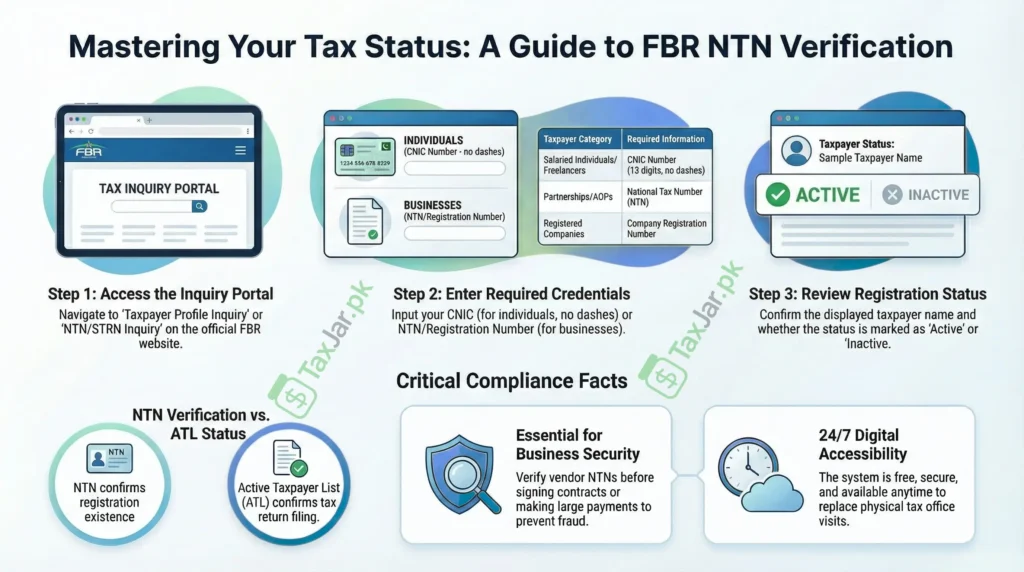
Follow these simple steps to complete NTN Verification from FBR Pakistan:

Step 1: Visit the Official FBR Website

Go to the official website of the Federal Board of Revenue.

Step 2: Open NTN/STRN Inquiry

On the homepage, look for the “Taxpayer Profile Inquiry” or “NTN/STRN Inquiry” option.

Step 3: Enter Required Details

You will need to enter:

  • CNIC number (for individuals)
  • NTN number (for businesses)
  • Registration Number (for companies)

Step 4: Click Search

After entering details, click the search button.

Step 5: View NTN Details

The system will show:

  • Taxpayer Name
  • NTN Number
  • Registration Status
  • Active/Inactive Status

This completes the process to Verify NTN Online on FBR.

NTN Verification for Individuals

If you are a salaried person or freelancer, you can verify your NTN by entering your CNIC number without dashes.

The system will display:

  • Your registered name
  • NTN number
  • Registration type

This confirms your tax registration with FBR Pakistan.

NTN Verification for Businesses and Companies

For businesses, partnerships, and companies, NTN verification works slightly differently.

You may need:

  • NTN number
  • Company Registration Number
  • Business Name

After verification, you can confirm whether the business is properly registered with the Federal Board of Revenue. This is very useful before signing contracts or making payments.

Difference Between NTN Verification and Active Taxpayer List (ATL)

Many people confuse NTN verification with ATL status.

Here is the difference:

NTN Verification

  • Confirms whether NTN exists
  • Shows registration details
  • Does not confirm tax return filing

Active Taxpayer List (ATL)

  • Confirms whether tax returns are filed
  • Shows filer status
  • Updated weekly by FBR

So, verifying NTN does not mean the person is a filer. You must separately check ATL status.

Benefits of Online NTN Verification System

The online system provided by the Federal Board of Revenue makes the process easy and fast.

Saves Time

No need to visit tax offices.

Free of Cost

Verification is completely free.

Available 24/7

You can verify anytime from home or office.

Secure System

Data is directly retrieved from official FBR database.

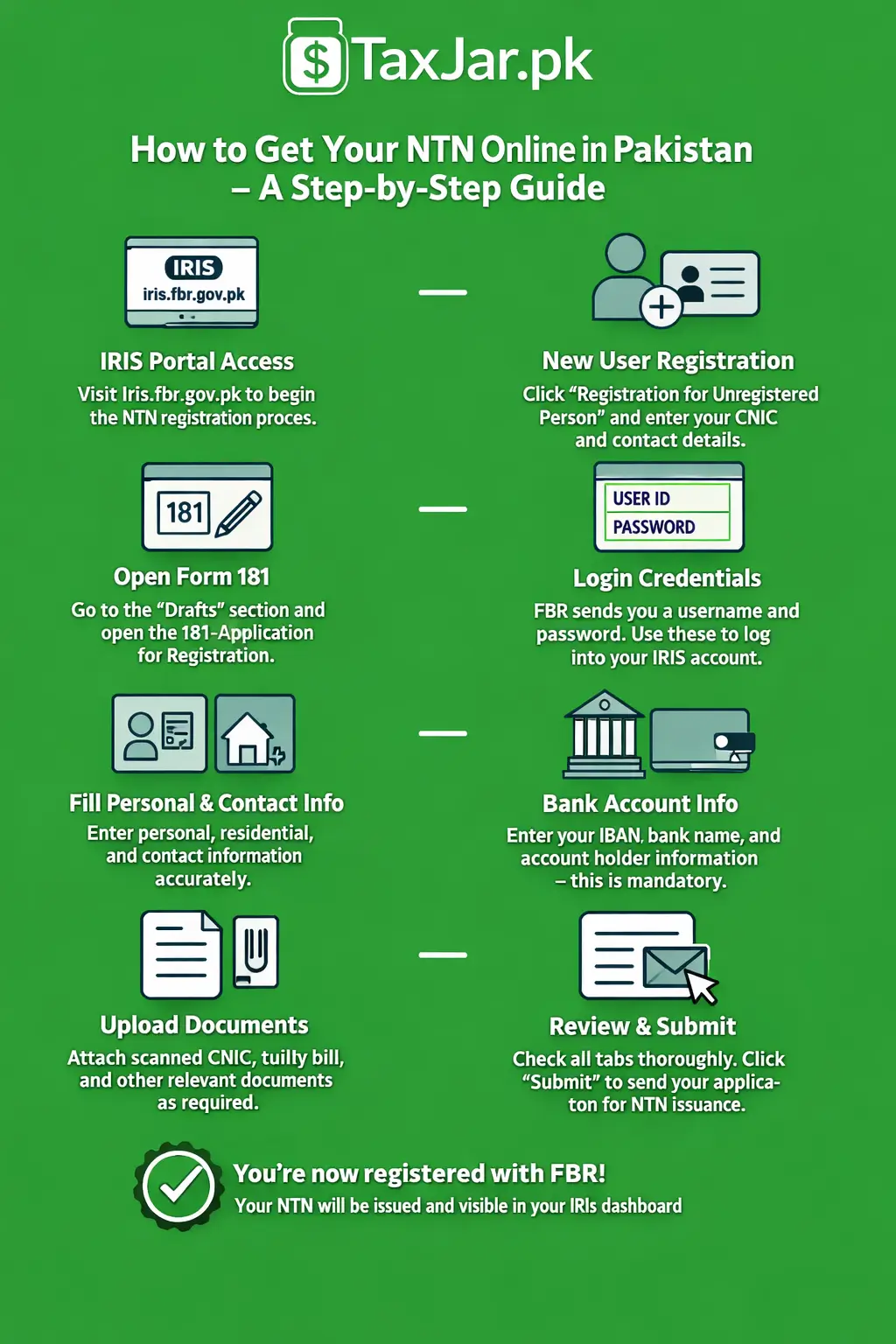
FBR New Registration for NTN

Common Problems During NTN Verification

Sometimes users face issues while trying to verify NTN online.

  1. Incorrect CNIC Format

Always enter CNIC without dashes.

  1. NTN Not Found

This may happen if:

  • NTN is not registered
  • NTN is inactive
  • Wrong number entered
  1. Website Not Loading

Due to heavy traffic, the FBR website may slow down. Try again later.

How to Download NTN Certificate After Verification?

After verifying your NTN, you may also need the NTN certificate.

To download NTN certificate:

  1. Login to IRIS portal
  2. Go to Registration section
  3. Click Certificate
  4. Download and print

This certificate can be used for banks, tenders, and business documentation.

When Should You Verify NTN?

You should verify NTN in the following situations:

  • Before signing a business contract
  • Before making large payments
  • When opening a business bank account
  • When hiring vendors or suppliers
  • When filing tax returns

Regular NTN verification ensures transparency and compliance.

Importance of NTN Verification from FBR Pakistan

In Pakistan’s tax system, transparency and documentation are very important. The government encourages digital verification to reduce fraud and increase tax compliance.

By choosing to Verify NTN Online on FBR, you:

  • Protect yourself from scams
  • Ensure legal business dealings
  • Confirm taxpayer authenticity
  • Strengthen financial trust

NTN Verification from FBR Pakistan is now quick, simple, and fully online.

Final Words

Verifying your tax registration is an important step for financial security and legal compliance. Whether you are an individual, freelancer, business owner, or company, it is necessary to Verify NTN Online on FBR to confirm your registration. The NTN Verification from FBR Pakistan process is simple, fast, and accessible to everyone. By checking your NTN regularly, you can ensure smooth business operations and avoid legal complications. If you are unsure about your NTN status, take a few minutes today and verify it online through the official system of the Federal Board of Revenue.

Subscribe To Our Taxjar.pk Bumper Offer

Inquiry Form